



In this article, we will help you to manage timesheets, including how to review, approve, or reject either a single or a group of timesheets submitted by workers on a project. Let’s get started:
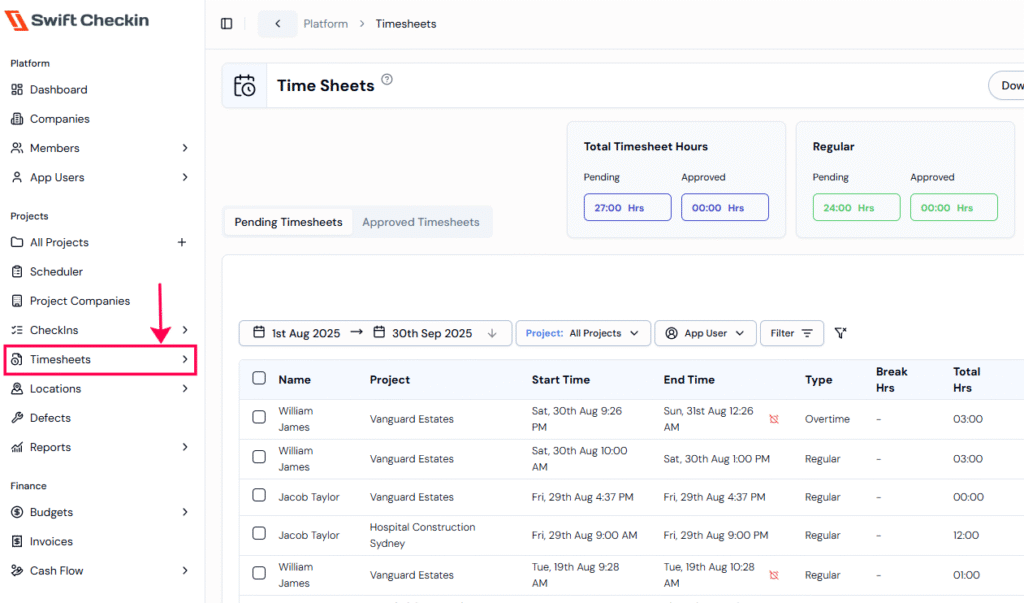
Step 1: Select the Timesheets module under the “Projects” category from the main menu. You will be directed to the Timesheets page.
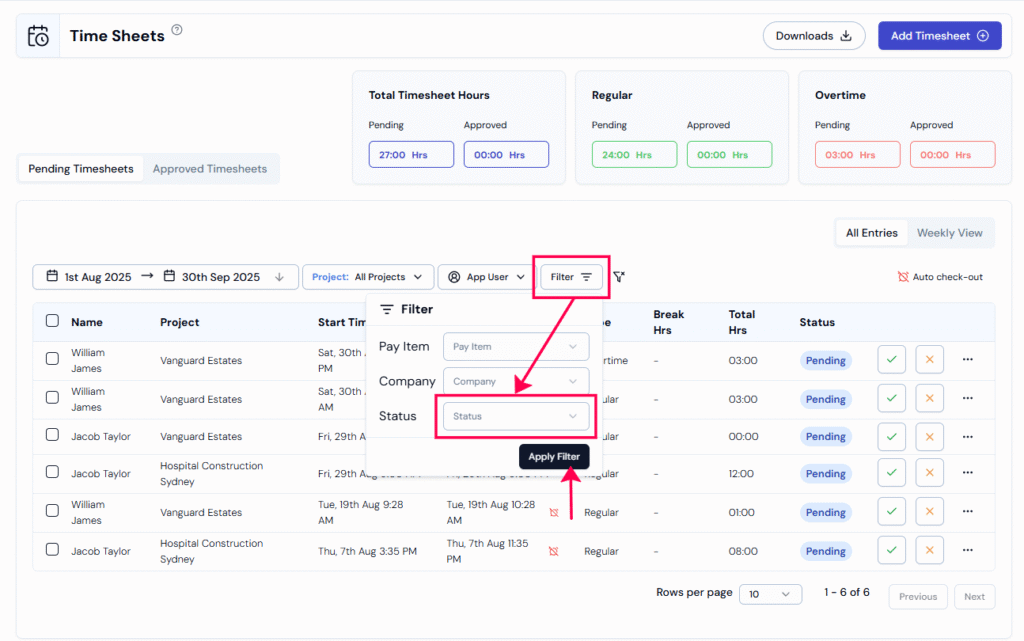
Step 3: You can also use the Status Filter to view timesheets by status, such as
“Approved” (will display all the approved timesheets) or “Pending” (will show all the timesheets yet to be approved by a site manager or supervisor.)
Step 4: Select the timesheet entry that you need to “approve/reject,” followed by clicking the 3 dots on the right side to view the action items.
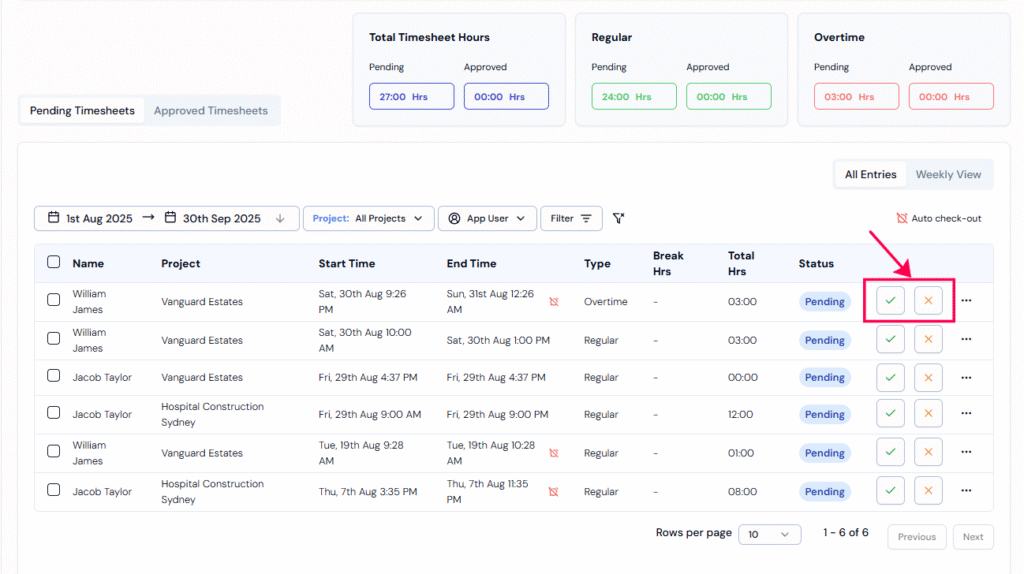
Step 5: Click ‘Edit‘ to make any changes or ‘Approve/Reject’ to finalize the timesheet.
Step 6: When you click “Approve,” a pop-up will appear where you can optionally link a budget to the timesheet.

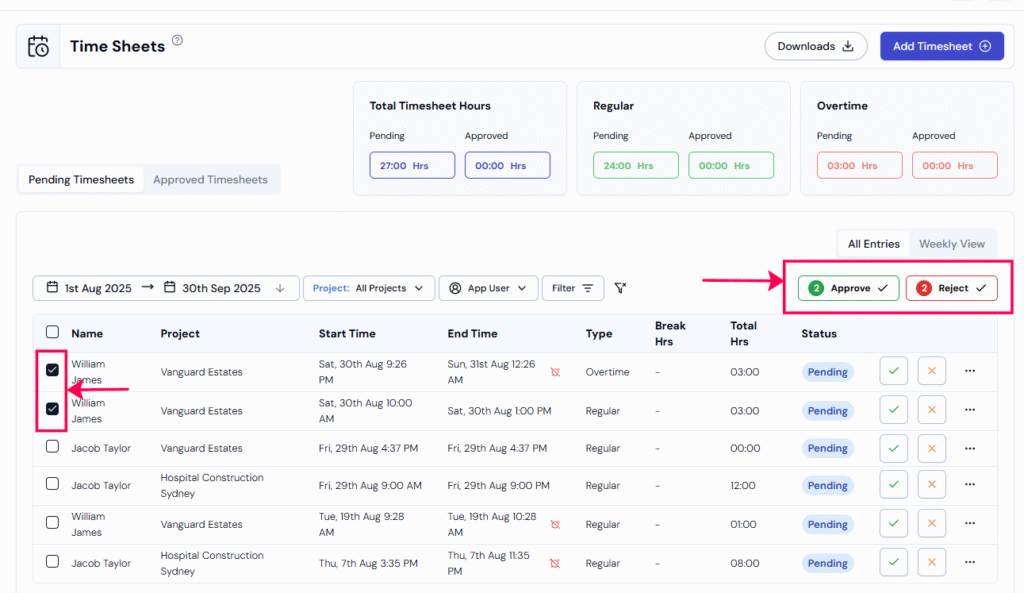
Step 7: You can also perform “bulk approval” by selecting multiple timesheet entries and clicking ‘Approve‘.
You can also see a pop-up page to optionally link a budget, just like when you are approving a single timesheet.
Once timesheets are reviewed and approved, you can easily export them for further processing and manage payments without hassle.
RELATED POSTS
View all


How to enable time rounding in timesheets for an organisation ?
July 29, 2025 | by Nisha George
How can I handle missed checkouts automatically as an admin?
July 29, 2025 | by Nisha George