What does an expired document mean?
An Expired label means the document's expiry date has passed. Ask for the renewed document and upload the new copy.
Where you see it
- On the Documents tab of a company or a worker (app user).
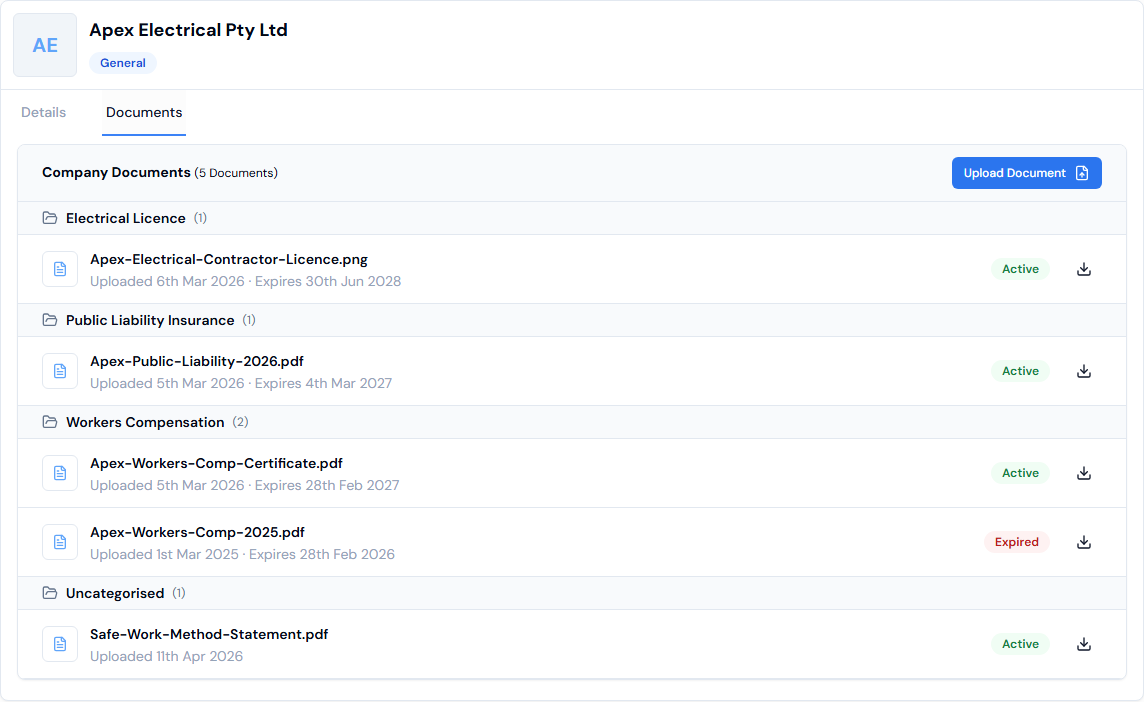
- Each document shows the date it was Uploaded, the date it Expires (if one was set), and an Active or Expired label.
What the labels mean
- Active: the document hasn't run out.
- Expired: the expiry date has passed.
What to do
- Get the renewed document from the company or worker.
- Upload the new copy with its new expiry date. See How do I upload a company's documents? or How do I upload a worker's documents?
Good to know
- The expiry date is optional. Add it when you upload, so Swift Checkin can show you when the document has run out.