How do I edit or delete a company?
Open the company and click Edit to change its details, or click ... at the end of its row in the Companies list and choose Delete to remove it.
Steps to edit a company
- In the left-hand menu, under Platform, click Companies.
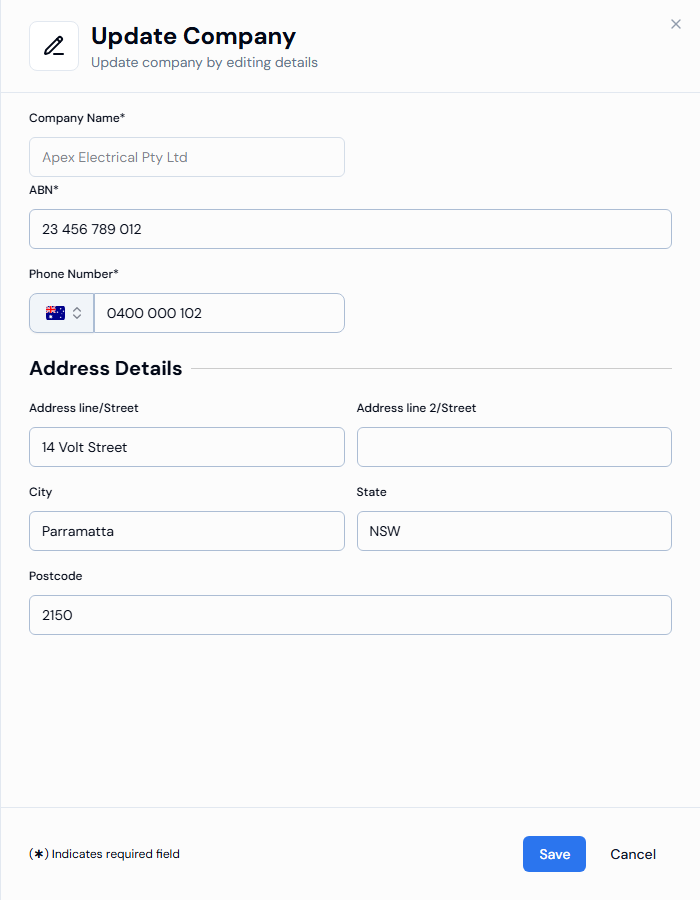
- Open the company and click Edit in the Company Details section. You can also click ... at the end of the company's row and choose Edit.
- Change the ABN*, Phone Number* or address details.
- Click Save. You see Company details updated successfully.
Steps to delete a company
- In the left-hand menu, under Platform, click Companies.
- Click ... at the end of the company's row and choose Delete.
- Confirm to delete. You see Company deleted successfully. and the company is removed from the list.
Good to know
- Deleting a company can't be undone. Check you've chosen the right company before you confirm.
- The company name can't be changed after the company is created. If the name is wrong, contact Swift Checkin support.
- Your own business (the default company) can't be deleted, so there's no Delete option for it.
If something goes wrong
- Can't save your changes: a required field is empty, or the phone number doesn't match the country on the flag. A message under the field tells you what to fix.