How do I add an admin user?
The Invite button for adding new admin users isn't shown on the Admin Users page at the moment. Contact Swift Checkin support if you need to add someone.
What an admin user is
- A person who logs in to the Swift Checkin web platform, such as office staff, project managers and supervisors.
- Different from an app user, who is a worker that checks in with the mobile app.
- Each admin user has a Member Role, a job title such as "Site Manager" or "Accountant", which helps you see who does what.
See your admin users
- In the left menu, under Platform, click Admin Users.
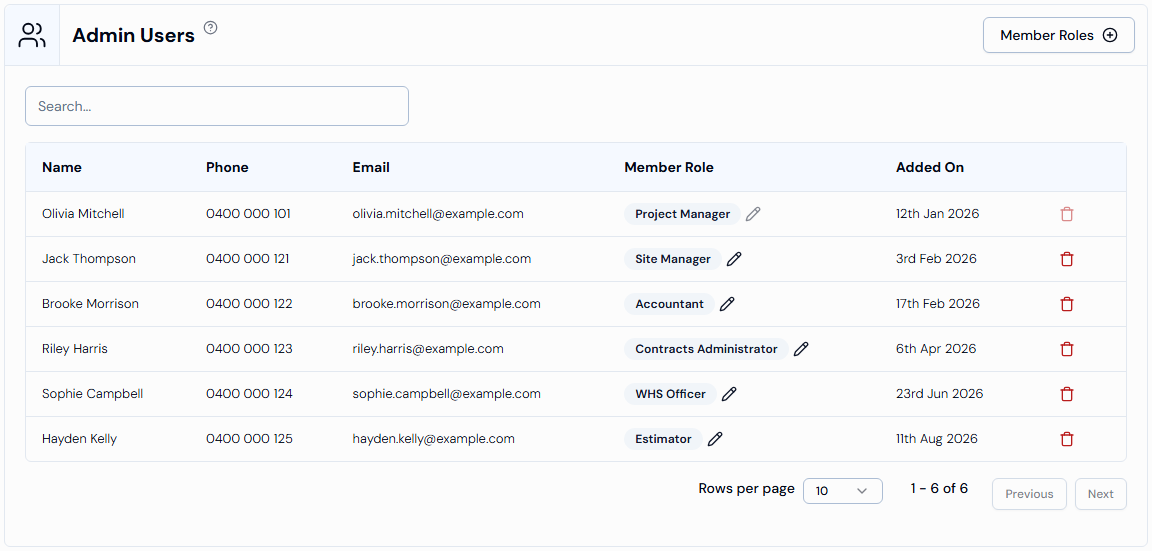
- The list shows each person's Name, Phone, Email, Member Role and Added On date.
- Type a name in the Search... box to find someone.
Good to know
- You must be a user administrator to see the list of admin users.
- To give someone a job title, see How do I change an admin user's role?
If something goes wrong
- You are not authorized to perform this action. Please contact your administrator.: you don't have permission to manage admin users. Ask an administrator in your organisation.