



Keeping track of check-ins helps you monitor worker activity and attendance. Follow the steps below to access and manage all check-in records quickly
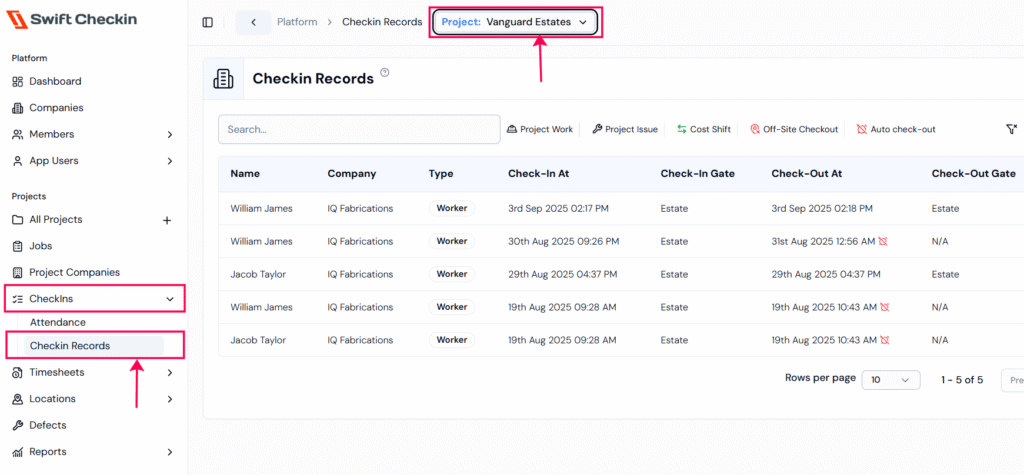
Step 1: From the main dashboard, open the Checkins module and select “Checkin Records“. Then choose your project from the dropdown list.
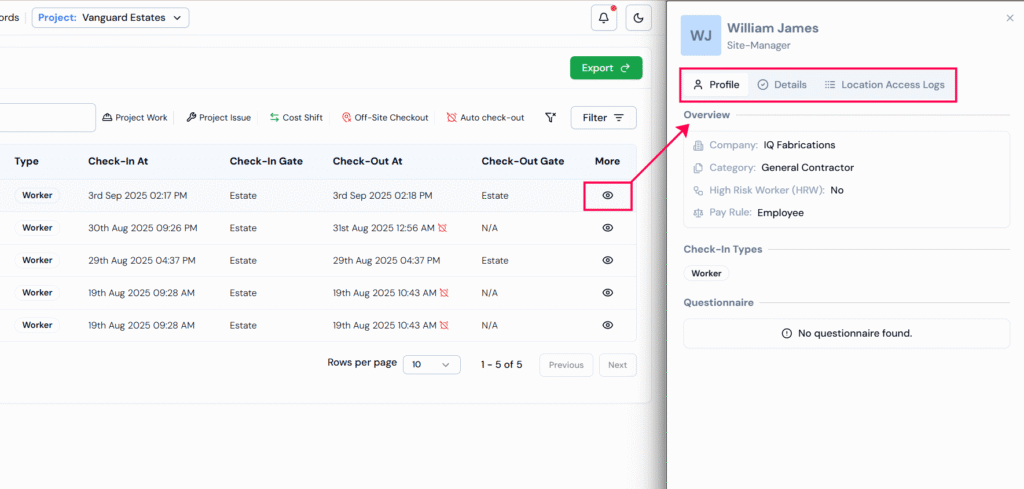
Step 2: To view details of a record, click the “eye icon” beside it. From here, you can also access the worker’s profile details and logs.
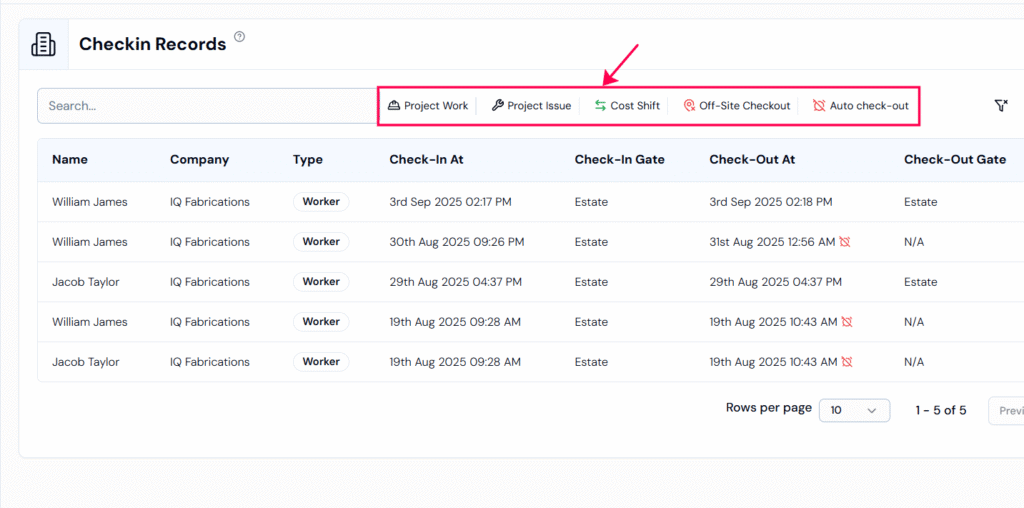
Notice that workers can check in or out in different ways. Each type is shown with its own icon at the top of the records, making it easy to identify the check-in/checkout type.
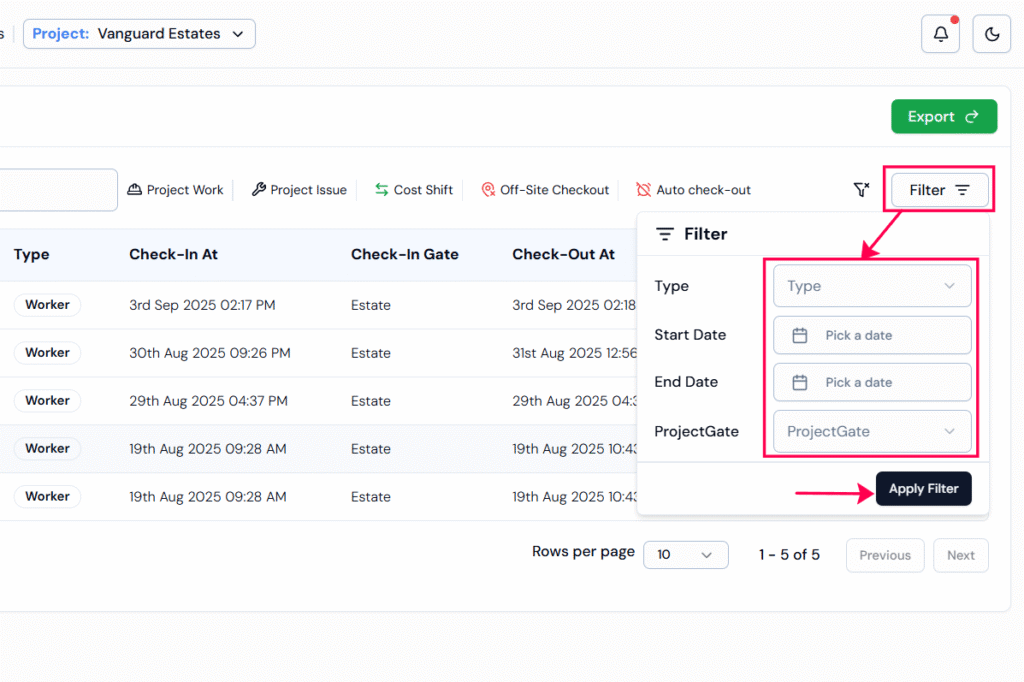
Step 3: Use the “filter” options to narrow down your search.
- Type filter: Show records for workers, contractors, site managers, or visitors.
- Date Range: Select a “start date“, “end date“, or both to view records for a specific period.
- Project Gate: Narrow results to check-ins done from a particular site gate.
RELATED POSTS
View all


How can I get a summary of the total regular and overtime hours of workers?
July 25, 2025 | by Nisha George