
Submitting timesheets on leave days within the Swift Checkin app is simple, as described below:
Step 1: Log in to the Swift Checkin app with the credentials.
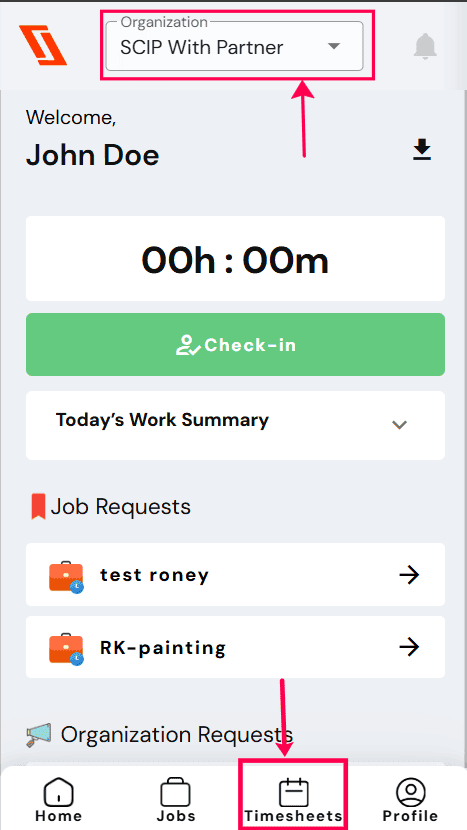
Step 2: Click on the “Timesheets” icon on the home page to get into the “timesheets” page.
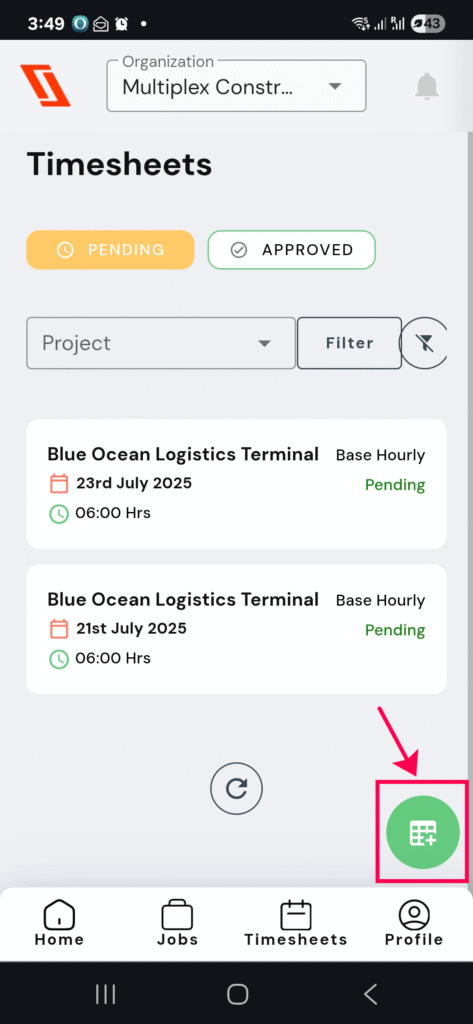
Step 3:Add a new timesheet by clicking the green icon located on the right-hand side of the screen.
- Complete the details, such as date, projects, start and end time, on the timesheet.
- Provide any further comments or reasons in the “Notes” section.
- Select the time type as leave (sick leave/annual leave/personal leave).
- Click on the “Submit” button.
RELATED POSTS
View all