
You can export timesheets as a .txt file, which can later be imported into MYOB or other payroll providers for processing.
If you’re uploading to MYOB, ensure your export settings are configured first see how to set them up here
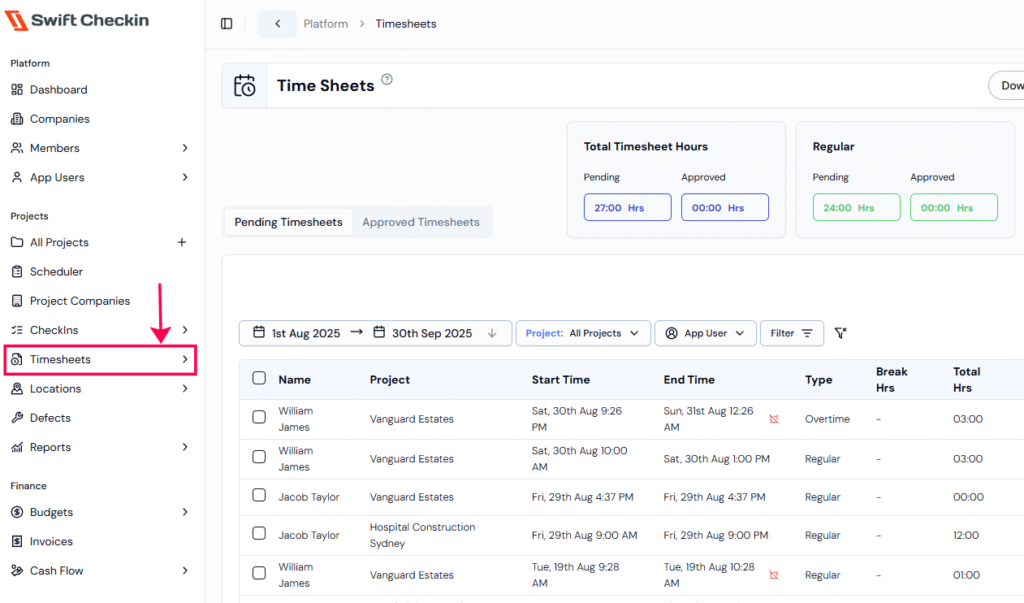
Step 1: Select the Timesheets module under the “Projects” category from the main menu. You will be directed to the Timesheets page.
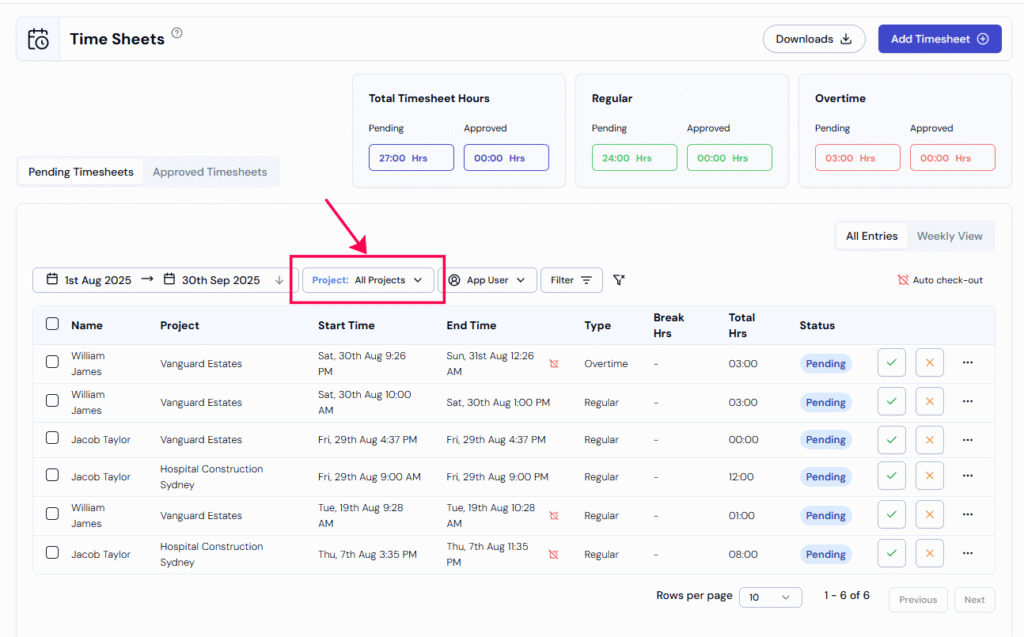
Step 2: Choose your project from the dropdown options on the top. This will display all the timesheets associated with the selected project.
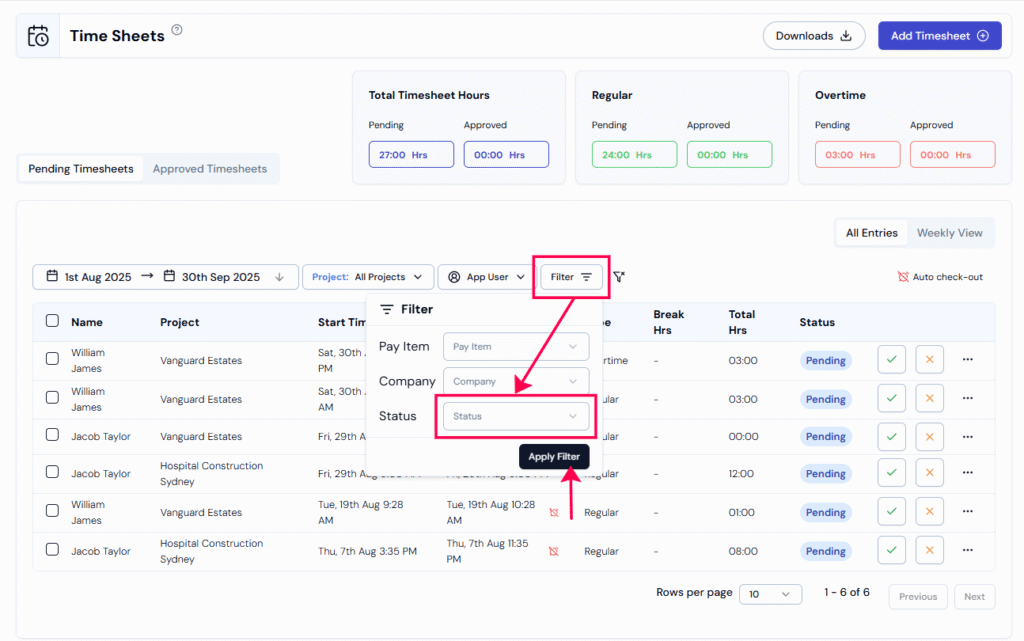
Step 3: Use the “Status Filter” to quickly view timesheets by their status, such as Approved or Pending.
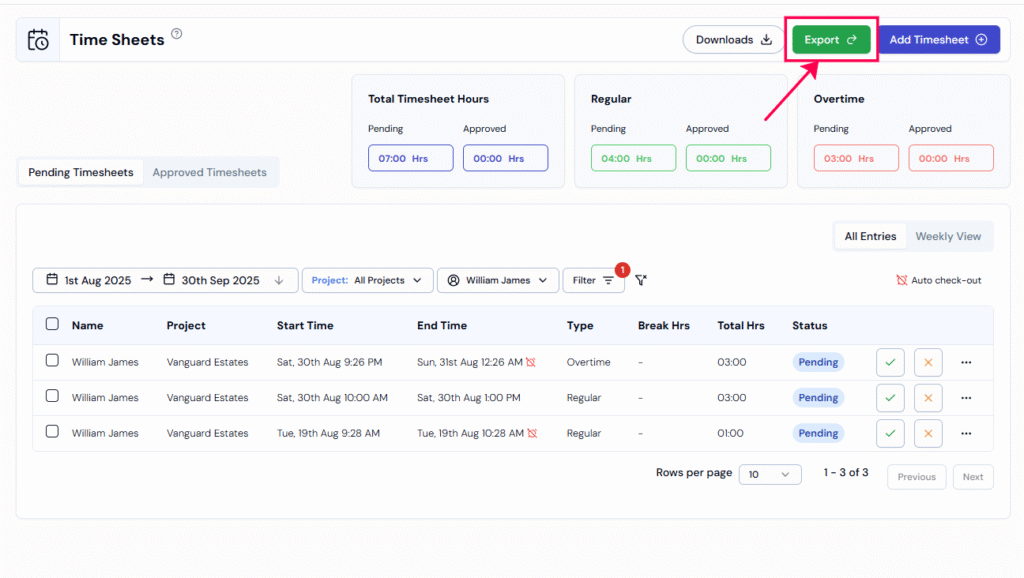
Step 4: Click the “Export” button. An action menu will appear with options for exporting your timesheets.
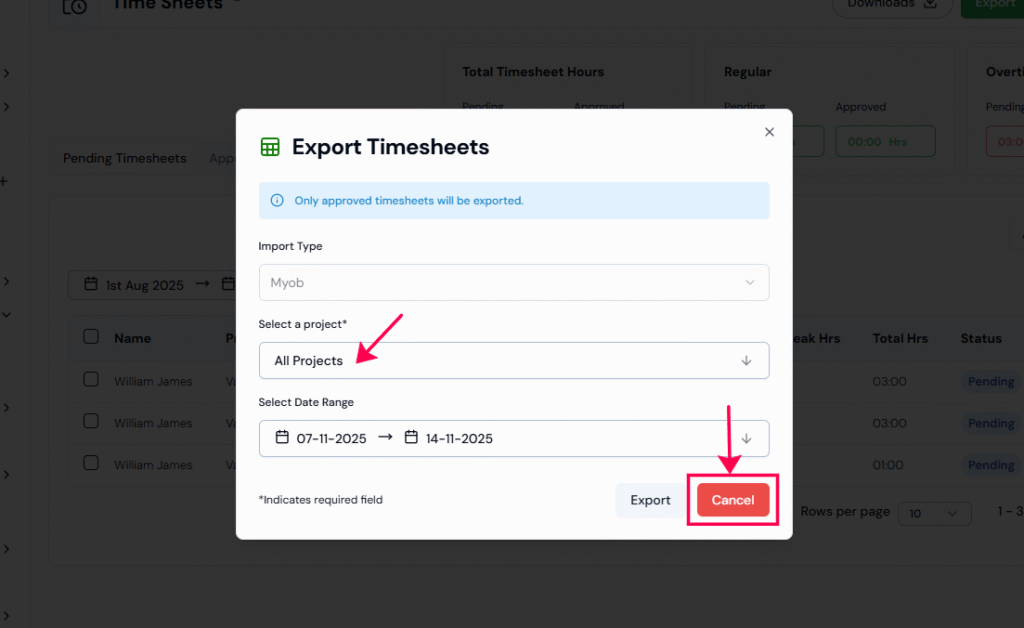
Step 5: “Select the project” you want to export timesheets for or choose All Projects to include everything. Then, set the date range for the export. Finally, click “Export” to confirm and begin the process.
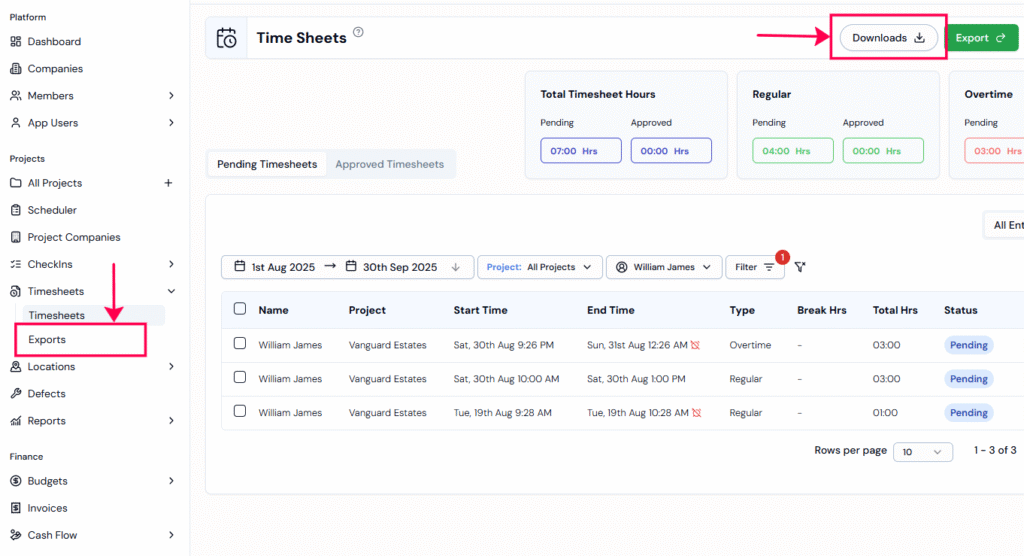
Step 6: To view your current or past exports, click the “Downloads” button on the Timesheets page, or go to the “Exports” section under the Timesheets module.
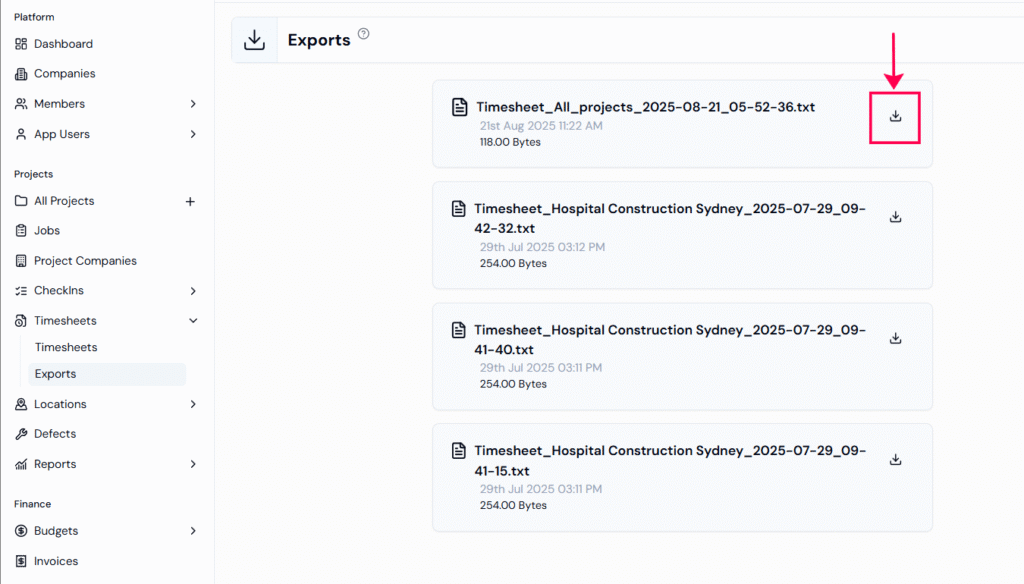
Step 7: Once the timesheet export is confirmed as successful, click the “Download” icon on the right side of each export record to download the file.
That’s it! You’ve successfully exported your timesheets. You can now upload the file to MYOB or your chosen payroll provider.
RELATED POSTS
View all