
Tracking attendance is an essential part of managing your workforce effectively. This section will guide you through the steps to easily view and manage attendance records.
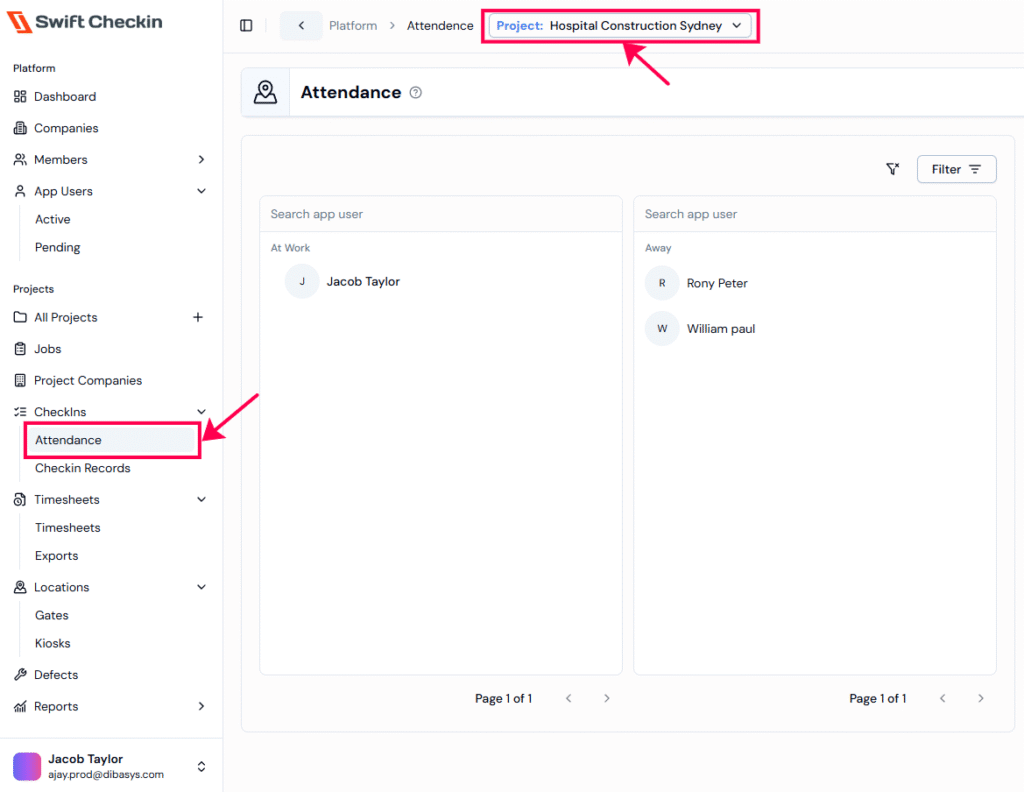
Step 1: From the main dashboard, go to CheckIns and select “Attendance”, choose your project from the dropdown.
- At Work column shows the app users who have checked in today.
- Away column lists app users who haven’t checked in yet today.
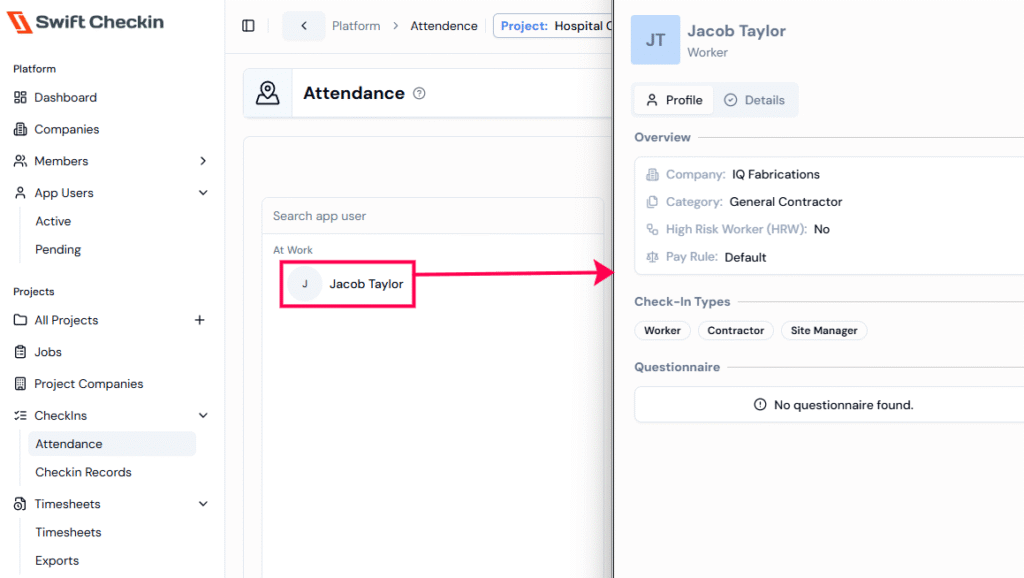
Step 2: Click on an onsite app user displays both profile and check-in details, while for offsite users, only the profile is shown.
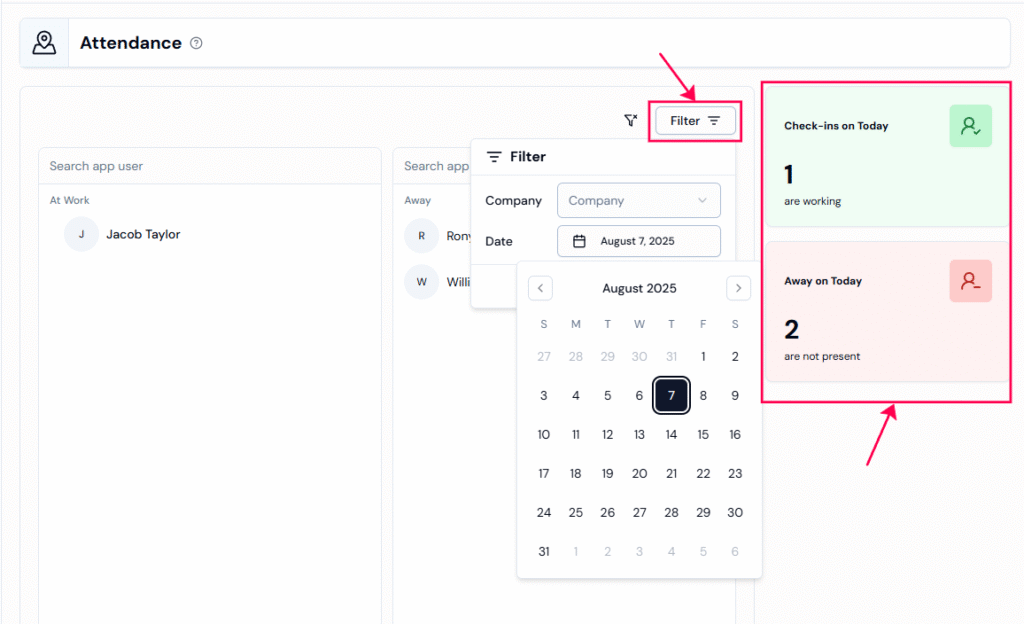
Step 3: You can use the filter button to view attendance for a specific date or company.
Step 4: A summary of On-site and Off-site is check-ins are also available on the left side of this page.
RELATED POSTS
View all