
You can easily view all the timesheet entries for workers in a specific project from the Timesheets module in the Swift Checkin account. Here’s how to find and manage them.
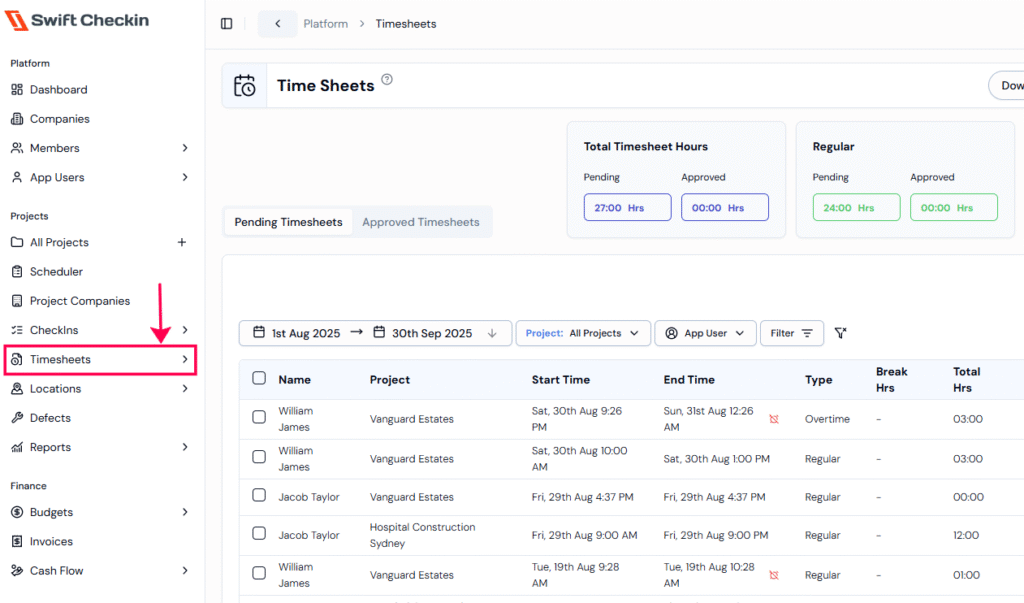
Step 1: From the main menu, choose the ‘Timesheets‘ module under the “Projects” category to view all timesheets.
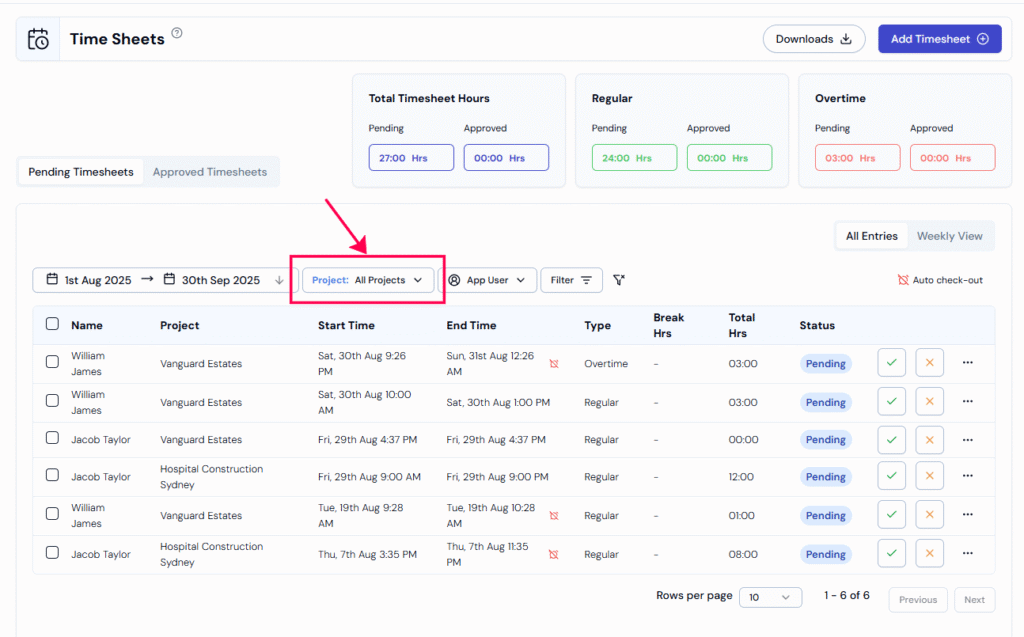
Step 2: Select your Project from the filter dropdown located above list. This will display all the timesheet entries associated with the project.
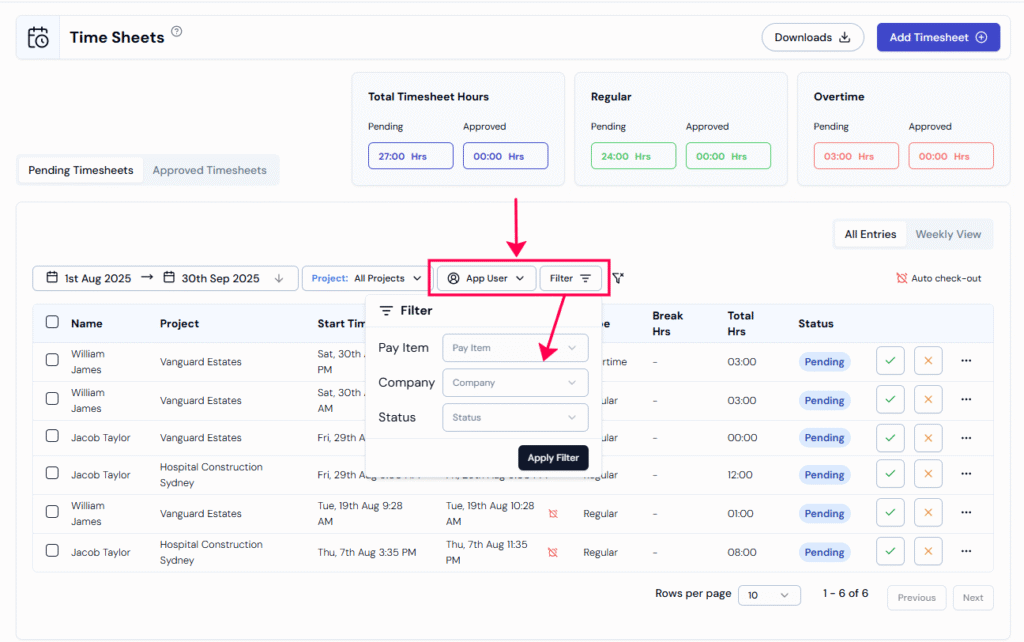
Step 3: Use the “filter” options to narrow down your search.
- App User filter: View timesheets of a worker.
- Advanced filters: You can refine timesheets view by Status, pay item and company
Want to take action? Learn how to review and approve timesheets →
RELATED POSTS
View all