
Pay items are the different componenets in a worker’s pay, like wages, leave, deductions, superannuation, and tax etc.
There are default pay items in the Swift Checkin platform that you can apply to your daily operations, or you can create new ones according to the requirements. You can add the new pay items in your ‘Settings.’
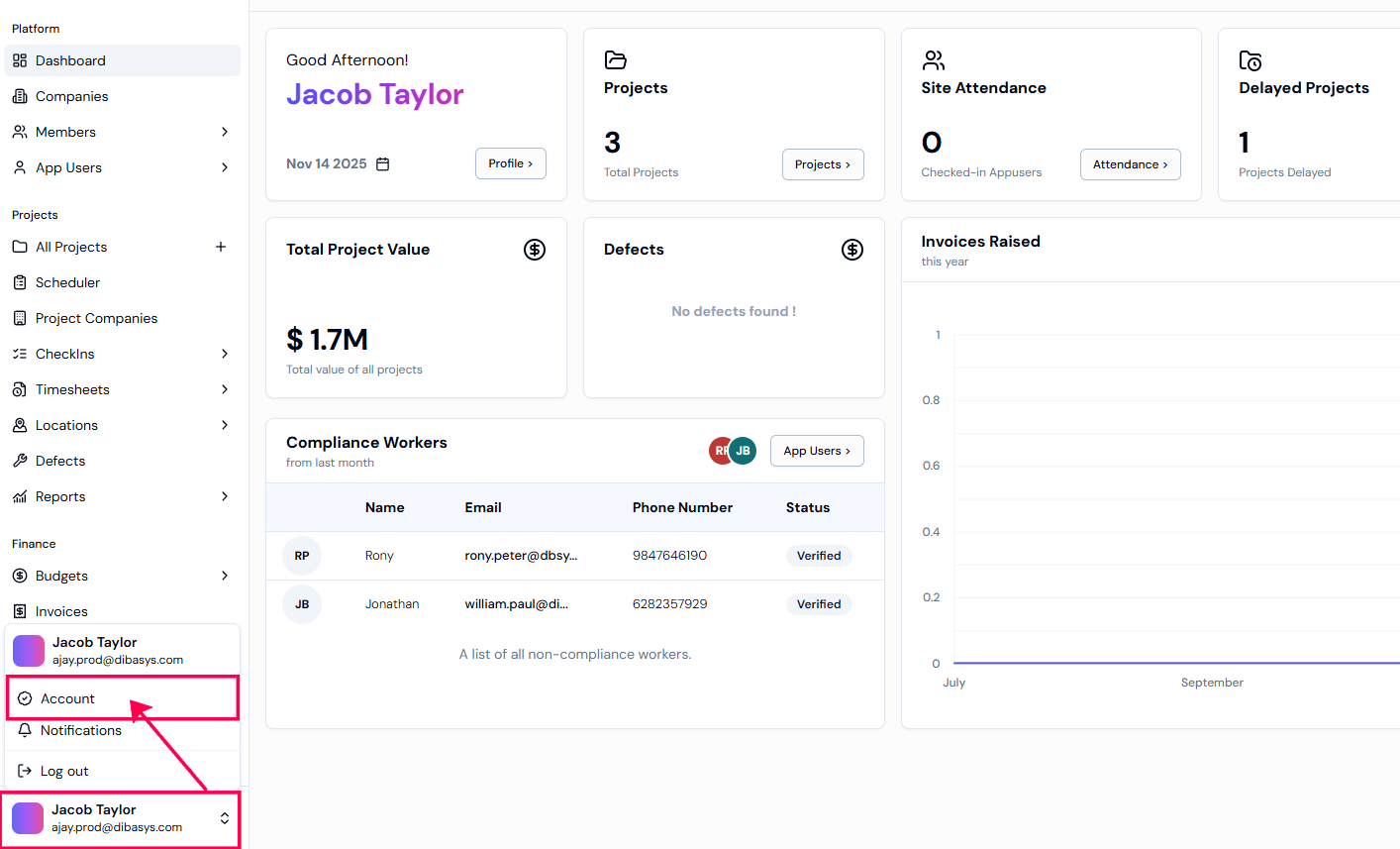
Step 1: To access ‘Settings,‘ Select your profile in the bottom left-hand corner of your screen. Select ‘Account’ to view general settings.
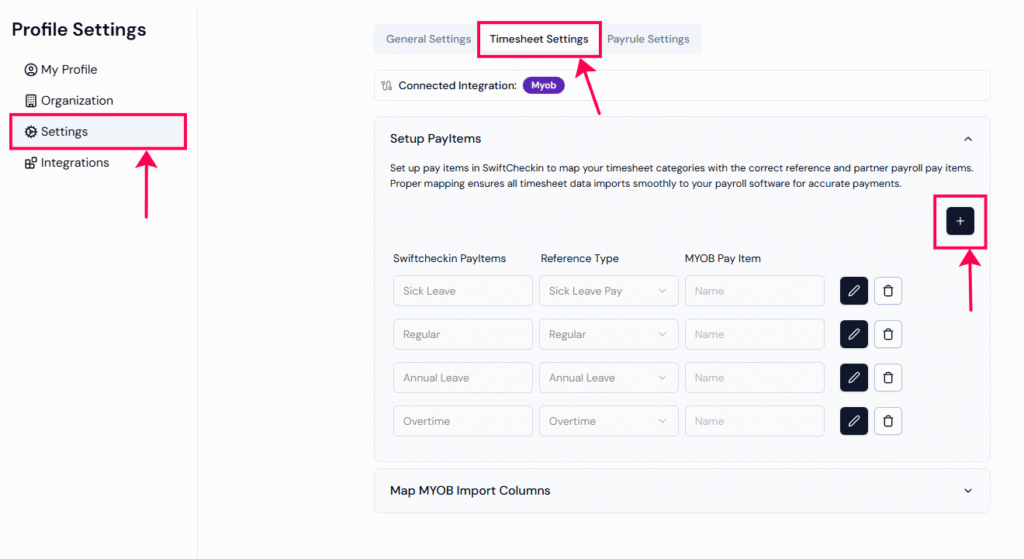
Step 2: Select the “Settings” to view all available settings. Click on “Timesheet Settings” module to setup pay items.
Step 3: Select “Setup PayItems” to view all the current pay items, such as personal leave, annual leave, regular, etc., and click the “+” icon to add a new pay item.
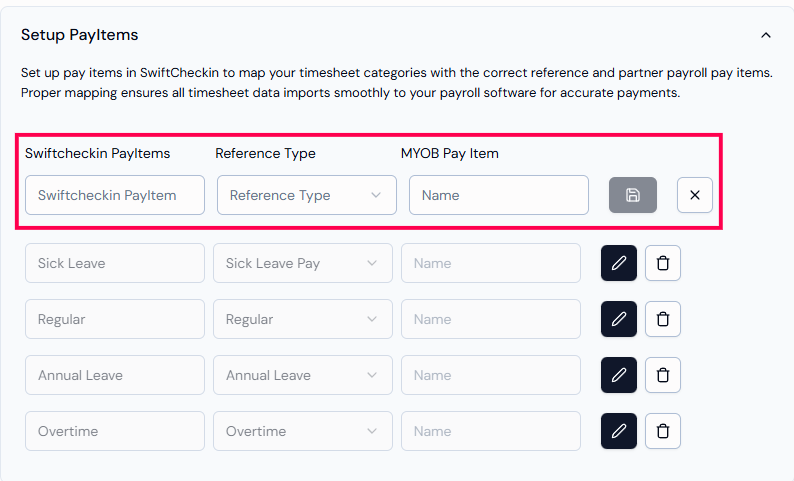
Step 4: Enter a name and select a “pay item reference” (e.g., Regular, Overtime), then click Add to save the pay item to your organization.
Pay item references are the built-in timesheet types used in SwiftCheckin. You can also create your own pay items, as long as they match with the ones used in SwiftCheckin.
RELATED POSTS
View all